Mesh Filters
Use Truck’s mesh filters to clean, modify, and analyze meshes before rendering or export.
Create examples/normals_filter_sphere.rs
use truck_meshalgo::prelude::*;
use truck_meshes::write_polygon_mesh;

fn main() {

   // PLACE ALL EXAMPLES IN HERE

}
Topology conditions
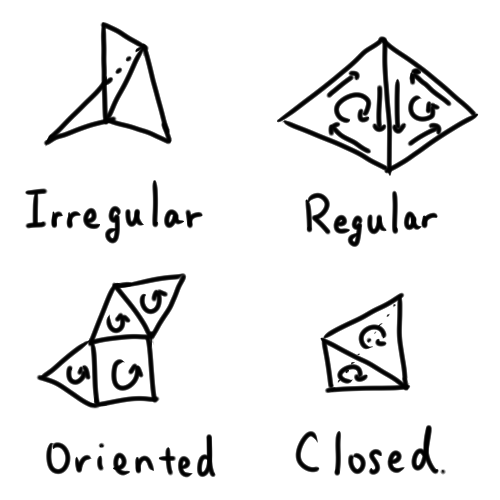
Classify meshes (regular, oriented, closed, etc.):
Example (using sphere.obj from the last page):
#![allow(unused)]
fn main() {
let mut mesh: PolygonMesh =
   obj::read(include_bytes!(concat!(env!("CARGO_MANIFEST_DIR"), "/output/sphere.obj")).as_slice())
      .unwrap();
println!("default shell condition: {:?}", mesh.shell_condition());
}
explanation
Code breakdown
obj::read(...): loads the embeddedsphere.objinto aPolygonMesh.mesh.shell_condition(): inspects topology flags (irregular, oriented, closed).println!: prints the detected condition for quick inspection.
Conditions
- Irregular: an edge has 3+ faces.
- Regular: each edge has at most two faces.
- Oriented: no edge appears twice with the same direction.
- Closed: every edge appears exactly twice (watertight manifold).
Merge duplicate vertices
Remove seams created by duplicated coordinates:
#![allow(unused)]
fn main() {
// Merge duplicate vertices within 1e-3
mesh.put_together_same_attrs(1.0e-3);
println!("after merge: {:?}", mesh.shell_condition());
}
when to use
Importing OBJ/patch models, fixing seams, removing duplicate geometry.
Add normals
Faceted (per-face) normals:
#![allow(unused)]
fn main() {
// Flat normals for a faceted look
mesh.add_naive_normals(true);
write_polygon_mesh(&mesh, "output/mirror-ball.obj");
}
when to use
Sharp mechanical parts, crisp reflections, debugging face orientation.
Smooth normals, normalize normals
- Blend across angles for softer shading:
- Keep direction, fix length:
#![allow(unused)]
fn main() {
// Smooth normals for softer shading
mesh.add_smooth_normals(1.0, true); // ~57° crease angle
mesh.normalize_normals(); // keep normal lengths unit after any edits/imports
write_polygon_mesh(&mesh, "output/mirror-ball-with-smooth-normal.obj");


}
when to use write_polygon_mesh
Spheres or organic shapes needing soft shading; lower the angle to preserve creases.
when to use normalize_normals
After editing/importing normals to ensure they remain unit length without recomputing direction.
Other cleanup passes
Truck’s filter module (truck_meshalgo::filters) also includes:
OptimizingFilter
- Drops degenerate faces (zero-area or repeated-vertex polygons).
- Removes unused attributes left over after edits or imports.
- Unifies shared vertices more aggressively than simple epsilon-based merging.
Useful after imports, procedural generation, or tessellation passes to reduce mesh size and fix broken topology.
StructuringFilter
- Reorganizes vertex attributes for tighter packing.
- Reorders faces and indices to improve cache-coherent traversal.
- Produces meshes that render faster and export more cleanly (OBJ/GLTF).
Useful before export or before sending the mesh into a real-time renderer.
Subdivision and refinement
- Use Subdivision filters to add geometric detail to coarse meshes.
(For example: smoothing a low-poly model before export or rendering.) - Subdivision creates refined faces and smoothed vertex flow, improving shading quality.
- Always apply subdivision after cleanup (merging duplicates, removing degenerates, orienting) so the new mesh inherits clean topology and correct normals.
Useful for smooth surfaces, rounded objects, or preparing assets for high-fidelity viewers.
Save and run
Use the existing write_polygon_mesh helper to export OBJ files, then:
cargo run
Inspect the results in an OBJ viewer (Preview, Blender, ParaView) to verify topology and normals.
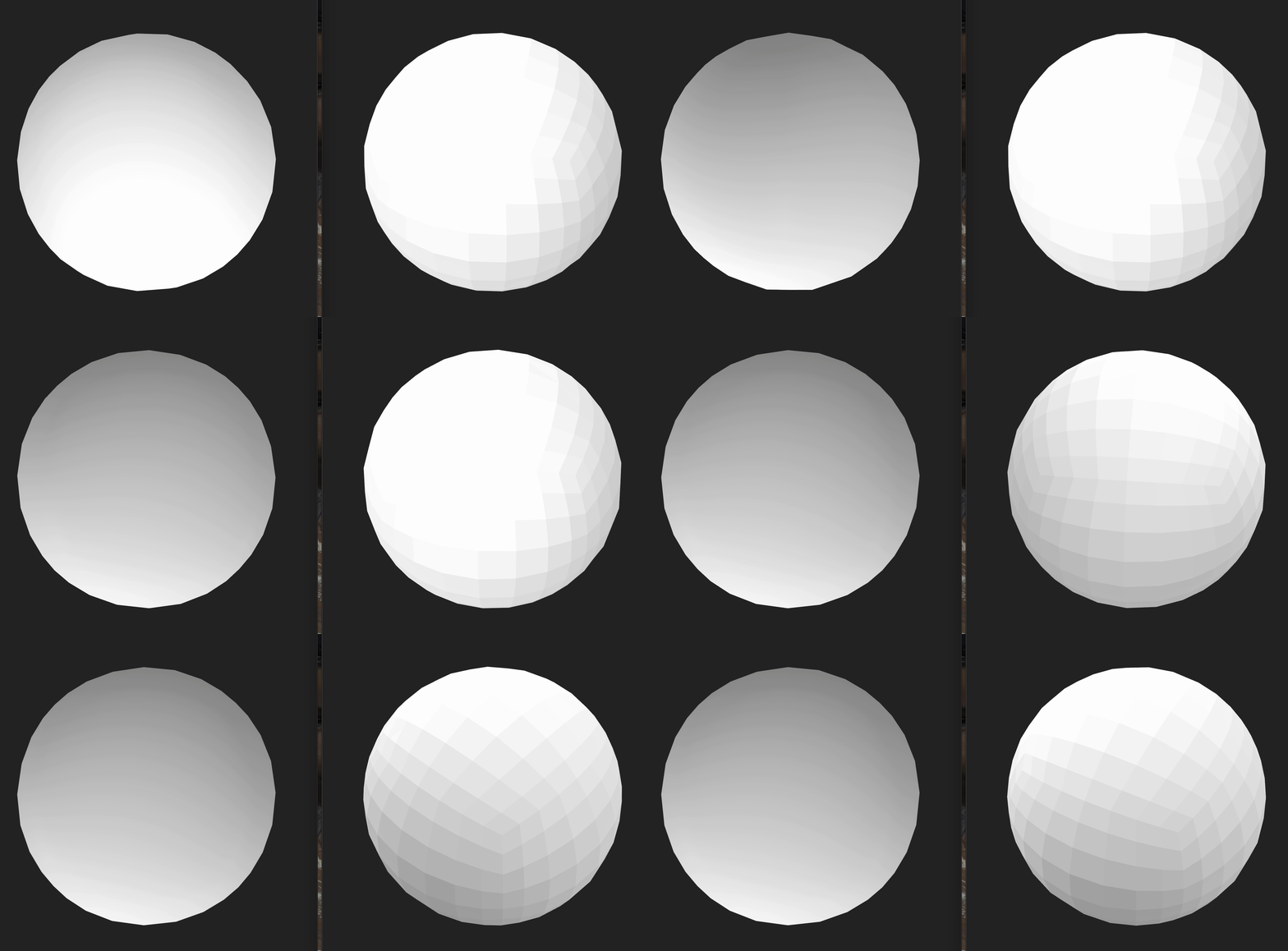
Full example: filter a sphere OBJ (`examples/normals_filter_sphere.rs`)
use truck_meshalgo::prelude::*;
use truck_meshes::write_polygon_mesh;

fn main() {
    // Load the generated sphere OBJ from output/ embedded at compile time
    let mut mesh: PolygonMesh =
        obj::read(include_bytes!(concat!(env!("CARGO_MANIFEST_DIR"), "/output/sphere.obj")).as_slice())
            .unwrap();
    println!("default shell condition: {:?}", mesh.shell_condition());

    // Merge duplicate vertices within 1e-3
    mesh.put_together_same_attrs(1.0e-3);
    println!("after merge: {:?}", mesh.shell_condition());

    // Flat normals for a faceted look
    mesh.add_naive_normals(true);
    write_polygon_mesh(&mesh, "output/mirror-ball.obj");

    // Smooth normals for softer shading
    mesh.add_smooth_normals(1.0, true); // ~57° crease angle
    mesh.normalize_normals(); // keep normal lengths unit after any edits/imports
    write_polygon_mesh(&mesh, "output/mirror-ball-with-smooth-normal.obj");
}
Updated directory layout
truck_meshes/
├─ Cargo.toml
├─ src/
│  ├─ lib.rs
│  ├─ shapes/
│  │  ├─ mod.rs
│  │  ├─ triangle.rs
│  │  ├─ square.rs
│  │  ├─ tetrahedron.rs
│  │  ├─ hexahedron.rs
│  │  ├─ octahedron.rs
│  │  ├─ dodecahedron.rs
│  │  └─ icosahedron.rs
│  └─ utils/
│     ├─ mod.rs
│     └─ normal_helpers.rs
├─ examples/
│  ├─ triangle.rs
│  ├─ square.rs
│  ├─ tetrahedron.rs
│  ├─ hexahedron.rs
│  ├─ octahedron.rs
│  ├─ dodecahedron.rs
│  ├─ icosahedron.rs
│  ├─ normals_icosahedron.rs
│  ├─ normals_sphere.rs
│  └─ normals_filter_sphere.rs
└─ output/          # exported OBJ files from examples