Mesh
In this chapter, we’ll learn how to work with polygon meshes—often simply called meshes. Most real-time graphics systems—like OpenGL, Vulkan, WebGPU, and game engines—expect 3D objects to be provided as meshes, so mastering them is essential for rendering and geometric processing.
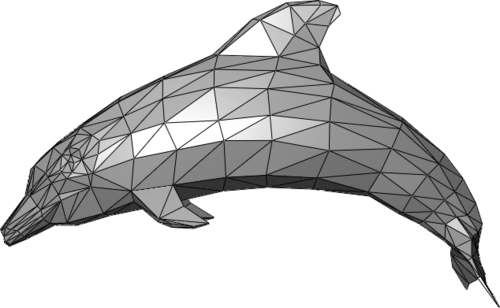 Source: Polygon mesh
What is a mesh?
A mesh is one of the most common ways to represent 3D shapes. It’s made of:
Why meshes?
Truck supports two broad categories for representing shapes:
- Polygon meshes: great for rendering, simple geometric manipulation, and interoperability with game engines, viewers, and simulation tools. Truck uses a mesh format based on Wavefront OBJ, one of the easiest and most widely supported formats in 3D graphics.
- Boundary representations (B-rep): describe shapes using curved surfaces (like NURBS), edges, and topology information. They are powerful for CAD and engineering, but not directly friendly for GPUs.
Converting shapes to meshes
If you create a model using B-rep, CSG, or another high-level representation, you will eventually convert (tessellate) it into a mesh before rendering. The modeling chapter demonstrates how to tessellate 3D objects built with the B-rep method, and the normals/filters chapter shows how to clean and optimize meshes for fast rendering.
A note about non-mesh rendering
While meshes are the standard, other representations exist—especially for special effects or procedural visuals. For example, raymarching can visualize shapes defined mathematically by:
These approaches don’t use polygons at all. However, they’re less common for CAD or engineering purposes, which is why meshes remain the primary representation in Truck.